Quick answer: To adjust your CPAP pressure settings, check your machine's nightly leak, AHI, OAI, and P95 readings first. Then raise the Auto Min by 1 cmH2O when obstructive events stay above 1.0 per hour, raise the Auto Max when P95 keeps hitting the ceiling, and lower the pressure if the Central Apnea Index climbs above 2 to 3. Many users find a comfortable setting within a couple of weeks. However, the ideal pressure varies from person to person, so a short consultation with a sleep technologist usually saves weeks of guesswork.
You bought your CPAP machine months ago. You wear it every night. Still, you wake up tired, bloated, or fighting with the mask. Sound familiar?
Here is the part most people never get told. Most CPAP users never learn how to adjust their CPAP pressure settings properly. Doctors often prescribe a wide-open range like "4 to 20 cmH2O" and never revisit it. The machine works hard. The therapy stays average. The daytime energy never quite returns.
This guide walks you through what each setting means, how to read your data, and how to fine-tune pressure step by step. Importantly, everyone's airway is different, so the right setting for you is rarely the same as the next person. If anything below feels unclear or you want a quick sanity check on your data, a free consultation is usually the fastest path to good sleep.
Why Most CPAP Users Never Reach Their Best Sleep
Most CPAP therapy never reaches its full potential because the prescribed pressure range is too wide. A "4 to 20 cmH2O" setting lets the machine swing pressure aggressively each time it detects an event. As a result, users wake up bloated, fight pressure cycling, and never see their best AHI numbers. Fine-tuning closes the gap between adequate therapy and excellent therapy.
Sleep apnea is not a one-time prescription. Your airway changes with weight, hydration, sleeping position, and even how stuffy your nose feels that night. Therefore, a static pressure setting struggles to keep up with the real you.
Many users describe the same pattern. They tried CPAP for a few weeks. The first nights felt strange. The data screen showed an AHI of 4 or 5. The clinic said, "Great, you are compliant," and sent them on their way. However, "compliant" is not the same as "optimised." There is a real difference between technically using your CPAP and actually feeling restored every morning.
Optimised CPAP therapy generally looks like this:
- AHI consistently below 1.0 events per hour
- Leak rate near zero, ideally well under 24 L/min
- P95 sitting comfortably below the Auto Max ceiling
- No bloating, no air hunger, no rising Central Apnea Index
- Seven to eight hours of continuous mask-on time without removing it mid-sleep
That is the goal. The rest of this guide explains how to get there, and where a quick consultation can save you the trial and error.
What Your CPAP Pressure Settings Actually Mean
CPAP pressure settings control how strongly the machine blows air into your airway. Auto CPAP uses two settings — Auto Min (lowest allowed pressure) and Auto Max (highest allowed pressure). BiPAP uses three — EPAP (exhale pressure), IPAP (inhale pressure), and Pressure Support (the difference between them). Pressure is measured in centimetres of water (cmH2O), usually between 4 and 20 on standard CPAP machines.
Auto CPAP: Auto Min and Auto Max
Auto CPAP machines, sometimes called APAP, work between the user-set minimum and maximum. The machine listens for snoring, flow limitation, and apneas. Then it raises pressure to keep your airway open. When the airway stays clear for a while, the machine drops pressure to find your comfortable baseline.
Default settings often look like this:
| Parameter | Common abbreviation | Typical default | What it does |
|---|---|---|---|
| Auto Minimum | Auto Min / P Min | 4 cmH2O | Lowest pressure the machine can deliver |
| Auto Maximum | Auto Max / P Max | 20 cmH2O | Highest pressure the machine can deliver |
Pressures below 4 cmH2O tend to cause carbon dioxide rebuilding inside the mask, which is why 4 is the floor. Pressures above 20 cmH2O are usually impractical on standard CPAP. For higher pressure needs, BiPAP exists.
BiPAP: EPAP, IPAP, and Pressure Support
BiPAP, or bilevel positive airway pressure, splits pressure into two levels — one for inhalation and a lower one for exhalation. This makes breathing feel more natural, especially for users who struggle to breathe out against CPAP.
| Parameter | Abbreviation | What it controls |
|---|---|---|
| Expiratory Positive Airway Pressure Minimum | EPAP Min | Lowest pressure during exhale; keeps the airway open at baseline |
| Inspiratory Positive Airway Pressure Maximum | IPAP Max | Highest pressure during inhale; sets the ceiling |
| Pressure Support | PS | Difference between IPAP and EPAP at any given moment |
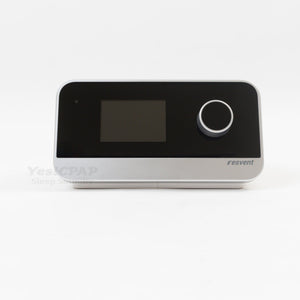
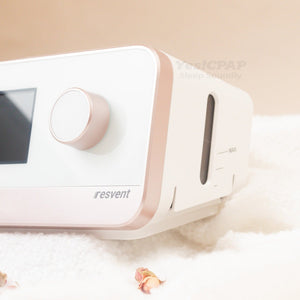
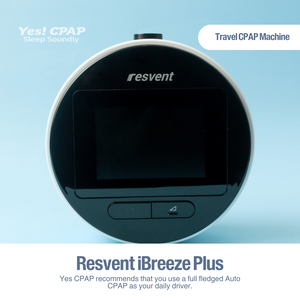
In short, EPAP keeps your airway open. IPAP and PS together make breathing comfortable. For most users new to bilevel therapy, an Auto BiPAP works best. The Resvent iBreeze Auto BiPAP available through YesCPAP is one example designed for this category of user.
Not sure whether you should be on CPAP or BiPAP at all? That is the most common question we get, and it is one of those things best decided after trying both lying down with the machine running. Book a free test session and find out which feels right for your breathing.
The Six Data Points That Tell You Everything
Six readings on your CPAP info screen tell you whether therapy is actually working. They are AHI, OAI, HI, CAI, P95, and Leak. Check these every morning. Each one points you to a different fix.
Modern Auto CPAP and BiPAP machines record a lot of data each night. Most show a summary the next morning. Some, like the Resvent iBreeze series, display the key readings at a glance. Others require a companion app or an SD card.
Here is what each number means in plain language:
| Reading | What it counts | What a "good" number looks like |
|---|---|---|
| AHI (Apnea-Hypopnea Index) | Total apneas + hypopneas per hour of sleep | Below 5; ideally below 1 |
| OAI (Obstructive Apnea Index) | Apneas caused by airway blockage | Below 1.0 |
| HI (Hypopnea Index) | Partial airway collapses | Below 1.0 |
| CAI (Central Apnea Index) | Apneas where the brain pauses breathing signals | Below 2.0; a rising CAI is a warning |
| P95 (95th percentile pressure) | Pressure your machine stayed at or below for 95% of the night | Comfortably below Auto Max; usually 8–15 cmH2O |
| Leak (L/min) | Air escaping past your mask seal | Below 24 L/min |
Notice the order. AHI is the headline number, but it hides everything underneath. A user with AHI 3.5 might have OAI 3.0 (still obstructing) or OAI 0.2 with CAI 3.3 (the machine triggering central events). The fix for each is the opposite. Therefore, you cannot optimise CPAP using AHI alone.
If reading your data feels overwhelming, that is normal. Most clinics never teach this. Sending a photo of your info screen to a sleep technologist is usually enough to figure out exactly what to change next.
A Step-by-Step Approach to Pressure Optimisation
This section walks through how a structured pressure optimisation generally unfolds. Read it as a framework rather than a strict instruction set. Every airway is different. Your ideal pressure depends on your anatomy, your weight, your sleep position, and even your nasal congestion that week. For this reason, working with a sleep technologist who can review your nightly data tends to be much faster than trial and error alone.
This framework is written for stable users with straightforward obstructive sleep apnea. If you have heart failure, COPD, complex sleep apnea, or other significant medical conditions, please work with your sleep specialist instead of self-adjusting.
Important safety note: Always change settings in small steps of 0.5 to 1 cmH2O at a time. Never jump by 4 or 5. If symptoms worsen — chest tightness, dizziness, severe bloating, new shortness of breath — return to your previous setting and speak to your sleep team immediately.
Step 1 — Start with conservative pressures
For first-time users or anyone restarting after a long break, begin with a narrow, comfortable range:
- Auto CPAP: Auto Min 4, Auto Max 12
- Auto BiPAP: EPAP Min 4, IPAP Max 12, Pressure Support 2
These settings let your body adapt without aggressive pressure swings. For most new users, breathing feels manageable at this range. If you already feel air hunger on the first night, raise Auto Min by 1 cmH2O.
Step 2 — Check leaks before anything else
Before changing any pressure, look at the leak number. Leak makes every other reading unreliable.
- Leak under 24 L/min: Acceptable. Continue.
- Leak between 24 and 100 L/min: Likely mouth leak. Try medical tape across the lips or a chin strap before adjusting pressure.
- Leak above 100 L/min: Mask leak. Try a different size cushion or a different mask style.
Fixing leaks alone often drops AHI by half. Therefore, never skip this step.
Step 3 — Bring down the obstructive apneas first
Now address the OAI. This number tells you how often your airway physically collapsed despite the pressure being delivered.
| OAI value | Action |
|---|---|
| Below 1.0 | Already optimised. Move on. |
| 1.0 to 5.0 | Raise Auto Min or EPAP Min by 1 cmH2O. |
| Above 5.0 | Raise Auto Min or EPAP Min by 2 cmH2O. |
Each morning, compare today's OAI to yesterday's. Once OAI sits below 1.0 for two consecutive nights, you are ready for the next phase.
Step 4 — Fine-tune for hypopneas, RERAs, and snoring
With obstructive apneas under control, work on the partial events. Hypopneas, respiratory effort-related arousals (RERAs), and persistent snoring fragment sleep even when full apneas have stopped.
- If HI is above 1.0 → raise Auto Min by 0.5 cmH2O, or raise Pressure Support by 0.5 on BiPAP
- If RERA Index is above 1.0 → raise Auto Min or Pressure Support by 0.5
- If Snore Index stays elevated → same approach, raise by 0.5
These smaller events respond well to gentle pressure increases. Larger jumps risk triggering central events, which we want to avoid.
Step 5 — Check your P95
Look at your 95th percentile pressure. This number tells you the working pressure your therapy actually settled into.
- P95 well below Auto Max: Your ceiling is comfortable. No action needed.
- P95 hitting Auto Max: Your ceiling is too low. Raise Auto Max or IPAP Max by 2 to 3 cmH2O.
A P95 pressed against the ceiling means the machine wanted more pressure but could not deliver it. As a result, untreated events likely accumulated all night.
Step 6 — Watch the Central Apnea Index
This is the warning sign. As pressure rises, some users develop central apneas — events where the brain briefly stops sending breathing signals. This is called treatment-emergent central sleep apnea.
| CAI value | What it means |
|---|---|
| Below 2.0 | Normal. No concern. |
| 2.0 to 3.0 | Borderline. Watch closely for two or three nights. |
| Above 3.0 consistently | Pressure may be too high. Lower P Max or Pressure Support by 0.5. |
For most users, central events settle within a few weeks as the body adapts. However, if CAI stays above 5 per hour after weeks of trying, CPAP alone may not be the right fit. A BiPAP or more sophisticated machine often resolves this. This is a great moment to talk to a sleep technologist rather than push pressure further on your own.
Step 7 — Lock in and narrow the range
Once AHI, OAI, HI, and CAI all sit comfortably below 1.0 with low leaks, you are essentially done. Now narrow the Min-Max range to reduce pressure cycling.
For example, if your P95 sits around 11 cmH2O, you could set Auto Min 9 and Auto Max 14. This stops the machine from dropping pressure too low between events. Sleep feels more stable.
Common Pressure Problems and How to Fix Them
Most CPAP discomfort comes from five problems — difficulty exhaling, air hunger, bloating, pressure cycling, and central apneas showing up on the data screen. Each has a specific fix. Often the fix is not "more pressure" but rather "different mask" or "different machine type."
Problem 1 — Difficulty exhaling
If pushing air out against your CPAP feels like a workout, the pressure during inhale and exhale is too uniform. First, drop Auto Min by 1 or 2 cmH2O. Then try the machine's exhalation pressure relief feature (called EPR on ResMed, A-Flex on Philips, or IPR on Resvent). If exhalation still fights back, consider a BiPAP. Most users find BiPAP exhalation dramatically more comfortable because pressure drops on every breath out.
Problem 2 — Air hunger or "not enough pressure"
You wake up gasping or feel like the mask is not delivering enough air. This means Auto Min is set too low. Raise Auto Min by 1 cmH2O. Reassess after one or two nights. Repeat until breathing feels effortless.
Problem 3 — Bloating, burping, or stomach discomfort
Air can get swallowed into the stomach instead of the lungs, causing bloating (aerophagia). Two fixes usually work:
- Lower Auto Min by 0.5 or 1 cmH2O for a few nights and see if symptoms ease
- Elevate the head of the bed using a wedge pillow or bed risers
Aerophagia is rarely dangerous but can ruin your morning. If it persists, a BiPAP with separated inhale and exhale pressures usually resolves it.
Problem 4 — Pressure cycling or sudden spikes
Your pressure jumps around all night. You wake mid-sleep. Two causes are common — Auto Min set too low (machine constantly chasing events), or your mask leaks intermittently (machine misreads leak as obstruction). Address the leak first. Then raise Auto Min by 1 cmH2O.
Problem 5 — Rising Central Apnea Index
If CAI starts climbing over a few weeks despite stable settings, your pressure ceiling may be too high. Drop Auto Max by 1 cmH2O. Reassess after three nights. Persistent CAI above 5 needs a proper review with a sleep technologist, ideally with your data in hand.
When Higher Pressure Stops Helping
Higher CPAP pressure does not always mean better therapy. Above a personal threshold, more pressure starts producing central apneas, increases bloating, and makes mask leaks worse. Every user has a unique optimal pressure window. Pushing beyond it produces diminishing returns or active discomfort.
Sleep apnea pressure curves look like an inverted U. Too little pressure fails to keep the airway open. Just right keeps obstructive events near zero. Too much triggers central events, bloating, and leak problems. The goal is to find your peak.
Watch for these signs that pressure has crept too high:
- CAI rising above 2 across multiple nights
- New bloating or burping after a higher setting
- Mask leak suddenly worsening despite no change to the seal
- Pressure feels so uncomfortable that you reflexively remove the mask
If you reach this point, step pressure down by 0.5 cmH2O at a time. Give each change two to three nights before judging the result. Patience matters more than precision here.
If central apneas remain stubborn after a few weeks of careful adjustments, a different machine type may simply suit you better. Auto BiPAP often resolves what CPAP cannot. A short consultation with someone who can review your data is worth far more than weeks of guessing.
Tools That Help You Track Progress
Three tool categories help track CPAP optimisation — your machine's built-in info screen for quick daily checks, manufacturer companion apps for visual trends, and free third-party software like OSCAR or SleepHQ for breath-by-breath analysis. Most users only need the info screen.
Your machine's info screen
This is the daily workhorse. Every modern Auto CPAP and BiPAP shows yesterday's AHI, leak, and pressure data directly on the device. The Resvent iBreeze Auto CPAP and the iBreeze Pro both display these readings in seconds without needing an app.
Manufacturer apps
ResMed myAir, the iBreeze app, and similar tools sync data wirelessly. They show charts over weeks rather than single nights. This makes spotting trends much easier — for example, whether your AHI dropped after a pressure change two weeks ago.
OSCAR and SleepHQ
For power users, OSCAR (free, open source) and SleepHQ (web-based) display every breath, every flow limitation, and every leak spike. They reveal patterns invisible on the summary screen. A flat-topped breath waveform, for example, indicates flow limitation even when AHI looks clean. Most users do not need this level of detail until they have first sorted out the basics.
When CPAP Optimisation Hits Its Limit
CPAP works well for the majority of obstructive sleep apnea users. However, when optimisation fails to bring AHI below 5, when exhalation stays uncomfortable, or when central apneas persist, BiPAP often becomes the right next step. BiPAP delivers a lower exhale pressure that most users find dramatically more breathable.
Signs that you have outgrown standard CPAP include:
- Required pressure consistently above 15 cmH2O
- Persistent difficulty exhaling despite EPR or A-Flex on maximum
- Treatment-emergent central apneas that do not settle after several weeks
- Coexisting conditions like obesity hypoventilation, COPD overlap, or neuromuscular disease
Many users report noticeably better comfort on a well-set BiPAP compared with CPAP at the same effective pressure. Therefore, if your CPAP optimisation hits a wall, a structured BiPAP trial is usually the logical next step. A good sleep technologist will let you test both side by side before deciding anything. Read more about the difference between CPAP and Auto CPAP.
The Honest Truth About Pressure Optimisation
Adjusting CPAP pressure is part science, part patience. You can absolutely make small changes on your own using the framework above. However, two facts are worth being upfront about:
- Most users reach optimised settings much faster with a sleep technologist guiding them through the data each week, rather than guessing alone.
- Sometimes the issue is not pressure at all — it is the mask, the humidifier, the sleep position, or even the wrong type of machine for your airway.
If your therapy still feels off after a couple of weeks of careful adjustment, it usually saves time to get a second pair of eyes on your data. A consultation should give you a clear next step, not just sell you something.
Frequently Asked Questions
What is a good P95 pressure on CPAP?
A good P95 sits comfortably below your Auto Max ceiling, typically somewhere between 8 and 15 cmH2O for most adults. P95 means the pressure your machine reached or stayed below for 95 percent of the night. If your P95 keeps hitting your Max, your ceiling is set too low and the machine cannot reach the pressure it actually needs.
How do I know if my CPAP pressure is too high?
Common signs include bloating, difficulty exhaling, mask leaks getting worse overnight, and a rising Central Apnea Index on your info screen. If your CAI climbs above 2 to 3 events per hour, your pressure is likely too high. Lower it in small steps of 0.5 cmH2O and reassess after a few nights.
Can I adjust my own CPAP pressure?
Most modern Auto CPAP and BiPAP machines allow patient access through a clinician menu. Small adjustments of 0.5 to 1 cmH2O are generally safe for stable users with straightforward obstructive sleep apnea. However, anyone with significant heart, lung, or neurological conditions should always work with a qualified sleep specialist before making changes.
What does 95th percentile pressure mean on CPAP?
The 95th percentile pressure, or P95, is the pressure level your machine stayed at or below for 95 percent of the night. It excludes short pressure spikes and shows the typical working pressure your therapy needed. Many clinicians use P95 to estimate an equivalent fixed CPAP pressure.
What is a normal AHI on CPAP therapy?
On effective CPAP therapy, an AHI under 5 events per hour is the usual treatment goal. An AHI under 1 is ideal. If your treated AHI sits consistently above 5, the cause is usually pressure setting, mask leak, or sleeping position rather than the machine itself.
Why is my CPAP pressure going up every night?
Auto CPAP machines raise pressure in response to apneas, hypopneas, snoring, or flow limitation. Pressure climbing every night usually means your minimum is set too low, your mask leaks, or your sleep position is collapsing the airway. Raising the Auto Min by 1 cmH2O often steadies the curve.
When should I switch from CPAP to BiPAP?
Consider BiPAP if exhalation feels uncomfortable on CPAP, if you need pressures above 15 cmH2O, if central apneas appear after starting therapy, or if you have conditions like obesity hypoventilation or neuromuscular weakness. BiPAP delivers a lower pressure on exhale, which most people find significantly easier to breathe against.
How long does it take to optimise CPAP pressure?
Many users find a comfortable, optimised setting within 7 to 14 nights using small, structured changes. The first few nights focus on clearing obstructive apneas. The next phase targets hypopneas and snoring. The final phase ensures central events stay low and the pressure range feels comfortable across the whole night.
Where can I get help with my CPAP pressure settings in Singapore?
Speak to a sleep technologist who can review your nightly data, watch you breathe on the machine, and adjust your settings in person. YesCPAP offers free CPAP consultations in Singapore, with the option to lie down and try CPAP and BiPAP machines at different settings before deciding what works best for you.
Talk to a Sleep Technologist Before You Guess
Pressure optimisation rewards patience, but it rewards good guidance even more. If you are weeks into therapy and still waking up tired, the answer is almost never "just push the pressure higher." More often, it is a leak you cannot feel, a mask that no longer fits, a Pressure Support setting that is fighting your natural breathing, or a machine type that does not suit your airway in the first place.
YesCPAP offers free CPAP consultations in Singapore. The session is genuinely consultative — bring your machine, your data, your questions. You can lie down with different CPAP and BiPAP models running at various settings and feel the difference yourself before deciding anything. The goal is to make sure your therapy actually works for you, not to push a specific product.
For a deeper overview, the CPAP Singapore complete guide and the CPAP machine selection guide are good places to continue reading. When you are ready, reach out for a free consultation and let's figure out the right pressure for you together.
Medical disclaimer: This article provides general educational information for adults with diagnosed obstructive sleep apnea. It does not replace medical advice from your physician or sleep specialist. Anyone with significant cardiovascular, respiratory, or neurological conditions should consult their sleep team before adjusting CPAP or BiPAP settings. The framework above assumes a stable, otherwise healthy adult patient with a confirmed OSA diagnosis.
Sources and further reading: Sleep Foundation — Obstructive Sleep Apnea · ResMed CPAP technical documentation