

CPAP Troubleshooting
How to Solve the Most Common CPAP Problems & Side Effects

By Jo Ng, Sleep Technologist | Updated 15 October 2026
CPAP therapy helps many people sleep better. However, even well-set-up CPAP machines can present challenges during your treatment journey. Many side effects ease with simple equipment adjustments.
This comprehensive guide addresses the most common CPAP problems. It also covers what to note about pressure for your doctor; it does not tell you how to change settings.
How to Fix the 5 Most Common CPAP Side Effects
1. CPAP Bloating and Stomach Discomfort (Aerophagia)
What Causes CPAP Bloating? Aerophagia occurs when you swallow air from the CPAP pressure. This creates uncomfortable gas buildup in your stomach.
How to Stop CPAP Bloating:
- Ask your doctor about your pressure: If bloating comes with high pressure, tell your doctor or sleep provider; only they should lower it
- Elevate your head while sleeping: Place sturdy blocks under the head legs of your bed. This creates a gentle incline that prevents air from entering your oesophagus
2. CPAP Mask Marks and Skin Irritation
Why Does My CPAP Mask Leave Red Marks? Tight mask straps cause skin soreness and pressure marks. Over-tightening is a common cause of both leaks and discomfort.
How to Prevent CPAP Mask Marks:
- Loosen your headgear straps: You should fit two fingers comfortably under the straps
- Try a different mask style: If redness persists, explore different CPAP masks designed for your facial structure
3. CPAP Dry Mouth and Nasal Congestion
What Causes CPAP Dry Mouth? Breathing dry, pressurised air creates mouth and throat irritation. Furthermore, mouth leaks make this problem significantly worse.
How to Fix CPAP Dry Mouth:
- Use your humidifier properly: Always use your humidifier and increase the humidity level. Check our CPAP humidifiers for better options
- Add heated tubing: Heated CPAP tubing keeps air moist and warm, preventing irritation
- Stop mouth leaks immediately: Dry mouth indicates your mouth opens during sleep. Try a chin strap or full-face mask first; use mouth tape only with your doctor's sign-off. Read our dry mouth solutions guide for detailed help
4. CPAP Claustrophobia and Mask Anxiety
Why Do I Feel Claustrophobic with CPAP? Bulky full-face masks create feelings of confinement and anxiety for many users.
How to Reduce CPAP Claustrophobia:
- Switch to minimal-contact masks: Try nasal pillow masks instead of full-face options
- Practice daytime wear: Wear your mask while watching TV to build comfort gradually
5. CPAP Breathing Difficulties
Hard to Exhale with CPAP? High-pressure settings make exhaling feel difficult and unnatural.
Solution for CPAP Exhale Problems:
- Ask your doctor to review your pressure rather than changing it yourself
- Ask your doctor whether BiPAP suits you: BiPAP machines provide lower exhale pressure, making breathing feel more natural.
Frequently Asked CPAP Questions and Answers
Q: Why Do I Feel Short of Breath on CPAP?
A: "Air hunger" can mean your settings need reviewing. Bring your machine's data to your doctor or sleep provider, who decides whether to change anything. Our air hunger troubleshooting guide provides additional solutions.
Q: Is My CPAP Mask Broken? Air Blows from Small Holes
A: Those holes are CO2 exhalation ports, not defects. In fact, they're critical safety features that wash out carbon dioxide from your mask. Learn more in our mask venting explanation guide.
Q: How Often Should I Replace CPAP Equipment?
A: Follow your machine's and mask's manuals. Filter schedules differ: the AirSense 11 guide says every six months (sooner if blocked); the iBreeze manual says check every 1-3 months. Replace any cracked or torn mask part.
Working With Your Prescriber on Pressure
Your doctor or sleep provider sets and reviews your pressure range. Your part is to collect good information for that review.
Important Disclaimer: Do not change pressure or Ramp settings yourself; that is for your doctor or sleep provider. This guide serves educational purposes only.
Step 1: See What Your Machine Shows You
What you can see yourself: Your machine's patient screens show usage and leak data; the iBreeze also has a Mask Fit check. Do not unlock clinician or provider menus.
Step 2: Know Your Prescribed Settings
For Auto-CPAP Beginners:
- Your Auto Min and Auto Max are set by your prescriber; note them down
- Choose auto CPAP devices for automatic pressure adjustment
For Auto-BiPAP Users:
- Your EPAP and IPAP limits are prescribed; note them, don't change them
- Pressure Support (PS) is prescribed too; ask what yours is
Daily Data Monitoring: Check AHI, leaks, and P95 readings every morning. Our CPAP data interpretation guide explains these numbers in detail.
Step 3: A 7-Day Record for Your Doctor
Important Rule: Change one comfort item at a time (mask, humidity, tube temperature) so you know what helped.
Day 1-2: Fix Leaks First. Address all mask leaks before adjusting pressure. Read our CPAP leak fixing guide for specific solutions.
Day 3-4: Check Your Maximum Pressure. If P95 keeps reaching your Auto Max or IPAP Max, note it for your prescriber; do not raise it yourself.
Day 5-6: Target Obstructive Apneas
- Note your OAI each morning
- If it stays raised, bring a week of readings to your doctor
- Let them decide whether your pressure should change
Day 7: Address Hypopneas and RERAs. If HI stays high, add it to your notes for your prescriber; do not increase Auto Min or PS yourself.
Ongoing Monitoring: Watch Central Apneas. If CAI rises, tell your doctor; it is for them to assess. Learn about treatment-emergent central apnea management strategies.
Correction, 15 October 2026: an earlier version of this guide told readers to unlock provider menus and change their own pressure settings, suggested mouth tape without safety conditions, gave a filter interval that does not match the manuals, and described Jo's credentials incorrectly. Pressure and Ramp settings are prescribed; any change goes through your doctor or sleep provider.
Key Takeaways for CPAP Success
A week or two of notes like this gives your doctor better information. Comfort fixes like mask fit and humidity often make therapy easier to stick with.
For additional resources and troubleshooting tips, visit our CPAP care blog. We regularly publish new guides to help you succeed with CPAP therapy.
Remember: CPAP therapy success requires patience and fine-tuning. However, the health benefits of treating sleep apnea make this effort worthwhile.
Keep reading
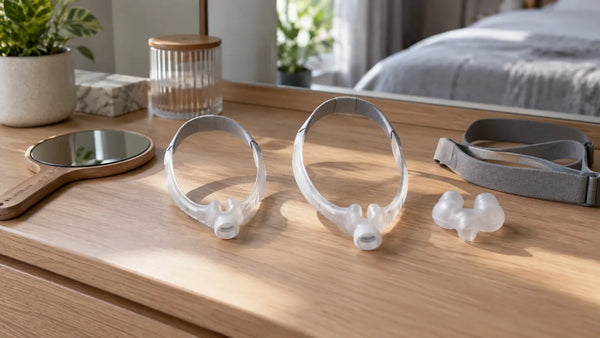
CPAP Air Blowing in Eyes? 7 Fit Checks
CPAP air blowing in eyes: start by checking cushion position, strap tension and frame fit. We read the makers' instructions for the...
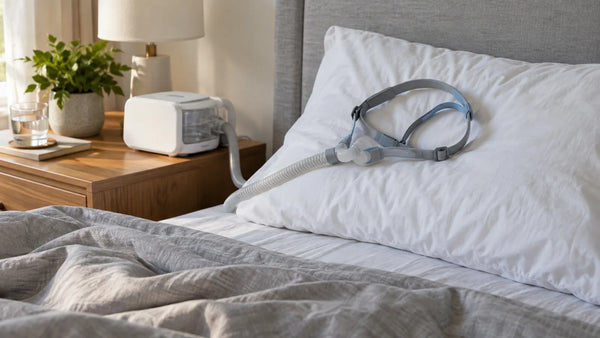
Waking Up With Your CPAP Mask Off? 6 Causes to Check
Short answer: waking up with your CPAP mask off often means something made it uncomfortable. Six possible causes: a leak, a mask...
Resvent iBreeze Heated Tubing and Rainout: Three Things to Change
A sourced, one-change-at-a-time guide to rainout on the Resvent iBreeze, covering tube, humidifier level and placement.